Solutions / Too few analysts
AEGIS collects the evidence, your analysts decide
AEGIS gathers the context for each alert and proposes a verdict, so a small team spends its time on decisions. Approvals, case ownership and corrections stay with your people.

What takes an analyst's time
Before an analyst can judge an alert, they pull the events, check what the account normally does, read the rule and look for the same thing last month.
The AI analyst does that collecting for each alert and writes down what it found, with the evidence quoted.
If you need more people as well, Tutior provides analysts who work on your AEGIS, in the same queue as your team.
Who does what
| Work | AEGIS does | Your analysts do |
|---|---|---|
| Gathering context | Reads event details, entity timelines, behaviour baselines, rule context, the incident, the entity graph and threat intelligence with read-only tools. | Read the result. |
| Reaching a verdict | Proposes true positive, false positive, benign or needs human, with a confidence and word-for-word citations. | Agree or disagree, and write a correction. |
| Closing harmless alerts | Closes a benign alert at confidence 0.85 or higher and severity Medium or lower. | Review the held verdicts and a 5% random sample of the closures. |
| Opening cases | Opens one case per incident for true positives and escalations, and links later alerts to it. | Own the case, work it and close it. |
| Watching deadlines | Runs respond and resolve clocks per severity and sends a message when one is at risk or breached. | Set the targets, and act on the warning. |
| Drafting response | Drafts at most one containment action for a true positive and submits it to the response policy. | Approve or reject. Nobody approves their own request. |
Built for a short-handed shift
The queue works from the keyboard
J and K move between alerts, Enter opens one and X selects it. A command palette reaches any page and opens a case by its reference.
Similar past cases are attached
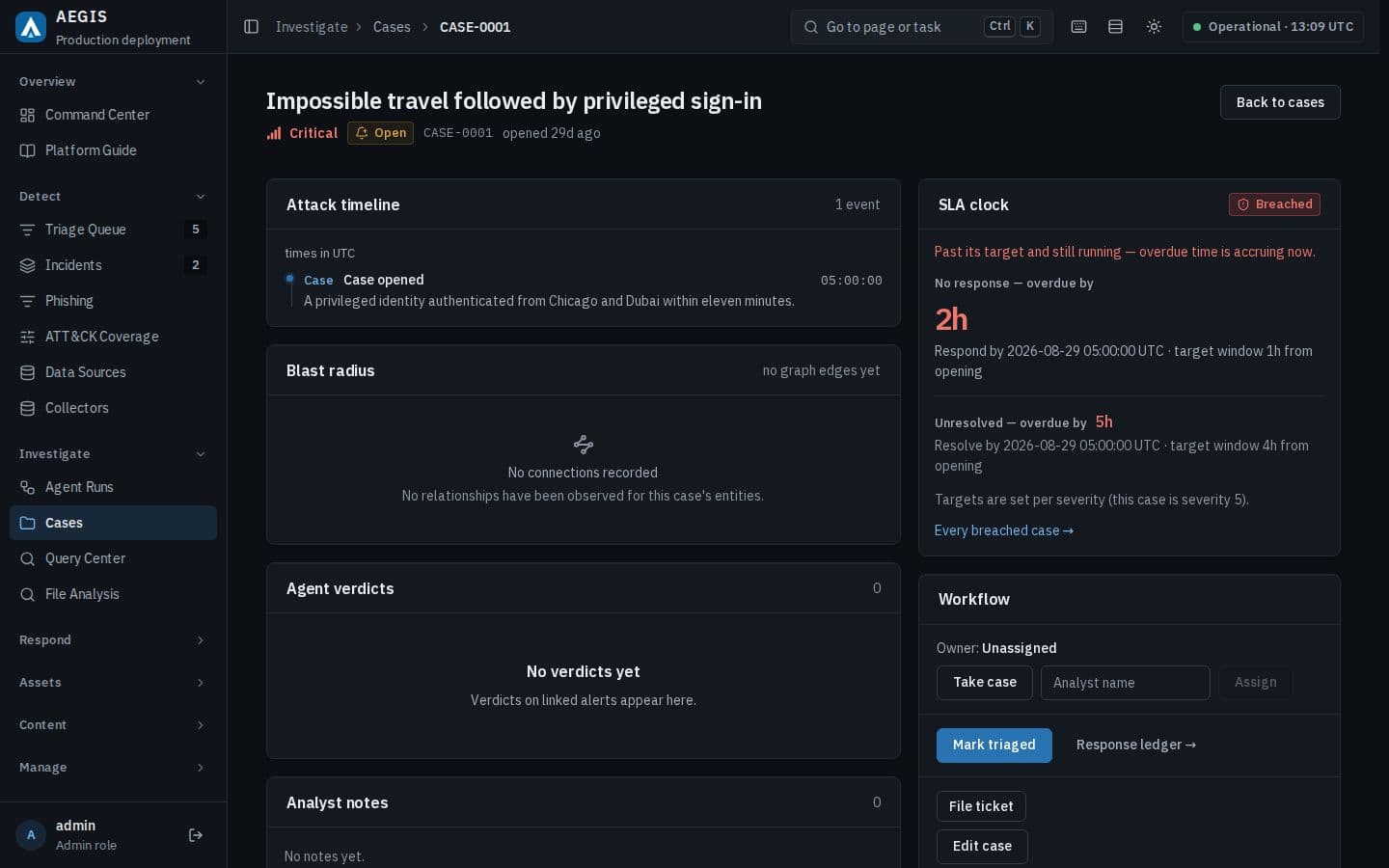
The case page lists similar earlier cases, found by vector search, beside the timeline and the notes.
A hand-off is one bundle
The escalation package collects a case's alerts, verdicts, citations, entities, actions and notes as a read-only bundle, for the next team or for printing.
Urgent work finds the analyst
Once you configure the channels, chat and email messages go out for malicious verdicts, escalations, approvals waiting at severity 4 and above, and clocks at risk. Paging covers malicious verdicts, executed containment and those approvals.
Case
A case keeps its timeline and its evidence on one page, so the analyst who picks it up on the next shift reads what happened in order.
Common questions
How do we show the effect to management?
SOC Performance reports time to acknowledge and time to resolve at p50 and p90, alert volume and analyst agreement with the AI, with a per-rule table and a note on how each figure is derived. The Alert Funnel shows where the workload was removed and how much reached a person.
Which decisions does the AI never take?
It does not close an alert above Medium severity, and it has no tool that changes anything. A verdict of needs human goes to a person, and so does a run that ends with no valid verdict: the alert escalates and a case opens.
Does the AI pick up how our environment works?
The prompt carries your tenant's environment notes and up to six recent analyst corrections for the same rule. A triage scorer per tenant is trained on outcomes your analysts set; it is advisory and gates nothing.
How is ownership of a case tracked?
Cases sit on a board with Open, Investigating and Closed lanes, and a Work queue view lists ownership and deadlines. A Breached filter lists every case whose clock has run out.
Can an analyst ask the AI to look further?
Yes. Dig deeper continues a finished investigation with a follow-up question. An action recommended in that follow-up is not executed.
Read next.
- Too many alertsAEGIS queues each alert for an investigation and closes the harmless ones that pass its checks.
- Case managementAEGIS opens a case when an alert is a true positive or is escalated.
- ReportingThe SOC Performance page reports how often your analysts overturned the AI analyst, alongside time to acknowledge and resolve.
Talk to an engineer
Tell us what you run today and what worries you. Someone who works on AEGIS will reply.
Get in touch