Compare / Against separate tools
AEGIS and separate SOAR and case tools
AEGIS keeps an alert, its verdict, its case and its actions in one record. A SIEM, a SOAR tool, a case tool and an AI add-on each hold part.

One record instead of four
In AEGIS everything recorded about an alert sits in one database on one server, under one set of roles.
With separate tools an alert is copied from one to the next, and each copy has its own identifier, its own access rules and its own log. When an examiner asks what happened to one alert, someone rebuilds the answer from four systems.
One platform against four tools
| Job | With separate tools | In AEGIS 0.3.4 |
|---|---|---|
| Collect, store, search | The SIEM | One event lake in OCSF, with read-only SQL, pipe queries and questions in plain language |
| Detect | The SIEM | 132 production rules, correlation sequences, signal clusters, UEBA, beaconing and identity analytics |
| Judge an alert | The AI add-on, with the data and access the other tools give it | The AI analyst, with nine read-only tools, citing its evidence word for word |
| Close harmless alerts | Suppression in the SIEM, a playbook in the SOAR tool, or the add-on under its own policy | At confidence 0.85 or higher and severity Medium or lower; 5% of benign closures sampled for review |
| Group alerts | Correlation in the SIEM, or deduplication in a playbook | A shared entity within 10 minutes, up to 15 alerts |
| Run a case | The case tool, fed by tickets | One automatic case per incident, with clocks per severity, a timeline and a custody trail |
| Act | The SOAR tool, with its integrations and action types | Four action types and 6 playbooks |
| Approve | Approval steps written into each playbook | A distinct approver on every gated action, up to three levels, with a 30-minute expiry |
| Audit | One log per tool | One hash-chained log per tenant, covering alerts, cases, approvals, actions and AI settings |
The middle column describes categories of tool in general and no product.
What sharing one record changes
The AI reads the events themselves
Its tools query the same event lake your analysts query, under a read-only account that the lake limits to the caller's tenant.
Every requester passes the same gate
An action asked for by the AI, by a playbook step or by an analyst goes through one policy gate and one set of approval checks.
A deployment-wide halt switch
While the switch is on, each action request is refused and recorded. It is read at evaluation and again immediately before the connector is called.
The same roles on every screen
Viewer, analyst, admin and platform are checked on every request, across triage, cases, response and the audit log.
Alerts and audit leave together
A tenant's alerts and, optionally, its audit records are exported as syslog in CEF, LEEF or JSON, or as signed HTTPS, to up to 10 destinations.
One alert, followed through one record
Alert
Detection raises an alert with a deterministic ID, so a replay is not stored twice.
Verdict
The investigation is stored with its steps, its citations, the workflow version and the model whose answer became the verdict.
Incident
The alert joins an incident, and the incident page says why.
Case
It opens on a true positive. A later alert on the same incident is linked to it, and the case takes the higher severity.
Action
A requested action records its intent first. The ledger then marks it dry run, simulated or live and shows where it went.
Audit
Each security-relevant change is saved together with its audit record.
Case
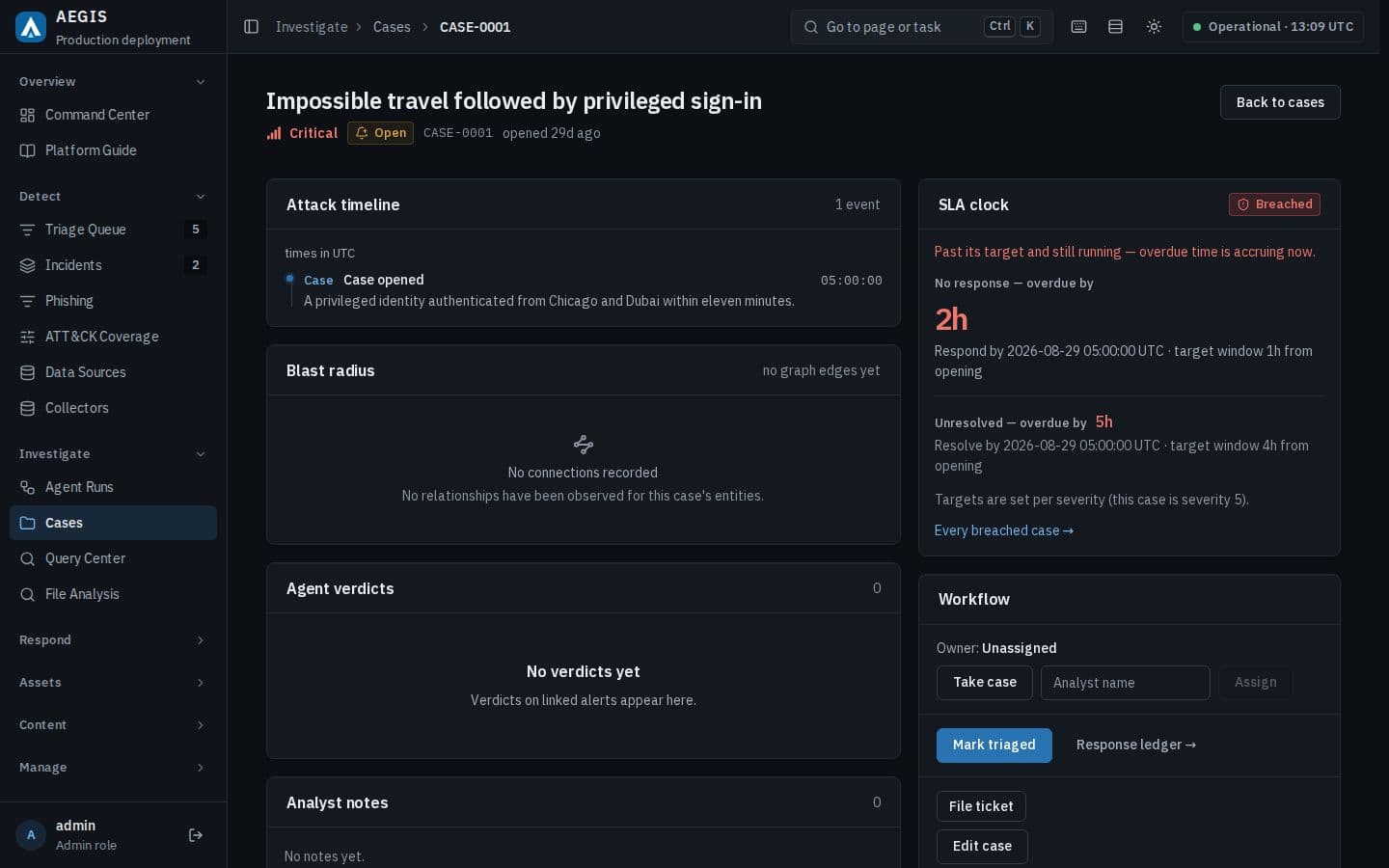
The case page shows a timeline and the evidence gathered. Both are built from the platform's own alerts and investigations, with no import from another tool.
Common questions
Does AEGIS do what our SOAR tool does?
For four actions: isolate a host, disable a user, block an address and quarantine an email. The signed webhook connector hands each of those four to the automation you already run, as a signed event.
Can we keep our case tool?
If it is Jira or ServiceNow, a case can be sent there on demand. Cases also export as an XLSX workbook or JSON.
How are playbooks written?
In YAML, with conditions, loops and sub-playbooks. Running a playbook needs the admin role.
Can alerts from another tool be investigated in AEGIS?
Yes. An external alert is posted into your tenant through the API. An action the AI requests for it waits for approval by someone other than the person who posted it.
How do we check what the AI did on one alert?
Agent Runs lists every investigation with its verdict, how it was decided, its response state and its confidence. Each model call is stored with its prompt and answer for 30 days by default.
Read next.
Talk to an engineer
Tell us what you run today and what worries you. Someone who works on AEGIS will reply.
Get in touch