Platform / The console
A console built for the person working the queue
You work the AEGIS queue from the keyboard, and every alert carries the verdict the AI analyst reached.

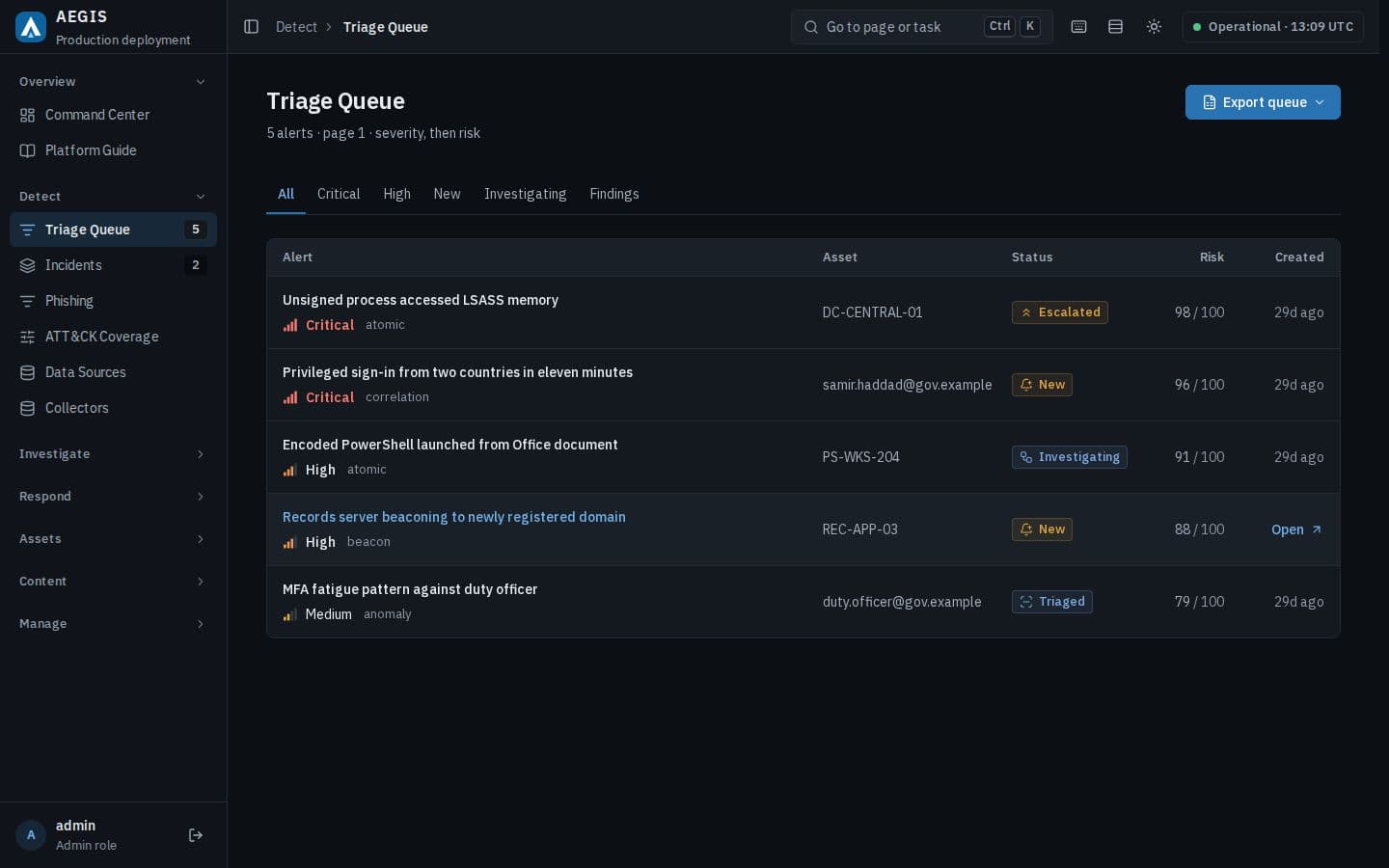
The triage queue
Alerts are ordered by severity, then risk. J and K move through the queue, Enter opens an alert and X selects it.
For the analyst
Nineteen shortcuts and a command palette
The help panel lists the shortcuts. The palette also switches between light and dark, and between comfortable and compact rows.
Three ways to ask a question
Write SQL, use a short pipe syntax, or ask in plain words. A question asked in words becomes SQL in the editor for you to read before it runs, with the name of the model that wrote it. A query can be saved, and reopened from a link.
A failed read shows as unavailable
Coverage shows unknown, and a metric leaves out what it cannot trace, so an empty panel is not mistaken for a quiet network.
Suspicious file analysis
An analyst uploads a file and gets its hashes, entropy, structure, strings and indicators, for Office files, archives and shortcuts, with a list of what could not be checked. A file nobody has detonated is not called safe.
A reported email, taken apart
For each reported message: the claimed sender against the reply and return addresses, the authentication results, links whose visible address differs from where they lead, the attachments, the delivery path, and everyone who reported the same message.
Figures that show their working
SOC Performance gives time to acknowledge and time to resolve at the median and the ninetieth percentile, and says how each figure is derived. Its estimate of analyst hours saved is labelled as a model, with the arithmetic printed and the assumption yours to change.
What the escalation package holds
When a case has to go to management, the console assembles one printable package from the record.
| Section | What it carries |
|---|---|
| The case | What it is about and where it stands |
| The clocks | The respond and resolve deadlines as they stood when the package was assembled |
| Custody | Who has held the case, in order |
| Linked alerts | The alerts the case rests on |
| Investigations | What the AI investigated, with the evidence each verdict quoted |
| Entities | The hosts, accounts and addresses involved |
| Response actions | What was done, and what is waiting |
| Notes | What the analysts wrote |
Every printed page carries who printed it, when, and the deployment and release it came from.
For the administrator
A readiness panel
Each check is marked ready, needs setup, optional or unavailable, so you see what is left to configure.
Test sends
Slack, Teams, email, PagerDuty, Jira and ServiceNow can each be sent a real test message from the console. Paging and ticketing ask for confirmation first.
Asset inventory import
An asset file is previewed before anything is written: rejected rows are listed by line, and the difference from the current inventory is shown. Reconciliation then lists what was observed but is not in the inventory, and what is listed but has not been seen.
Ingest keys
A new key is displayed once. Revoking one takes two steps and takes effect at once.
An access review you can export
Every account with its role, how it signs in, when it last signed in and whether it has a second factor.
English and Arabic in one console
A switch in the top bar changes the console between English and right-to-left Arabic, in a typeface that ships with AEGIS. The NCA ECC, SAMA CSF and UAE NESA evidence reports also display and print in Arabic, with audited CSV and JSON exports.
The guide, inside the console
Fifteen documents, searchable, with a print layout and two calculators: one for storage and one for AI demand.
Common questions
Can we get our data out of it?
Yes. Lists export as an Excel workbook or as JSON, from the Command Center, the queue, incidents, cases, response and others. Text is not written as a formula, so a value that begins with an equals sign stays text.
Does it work on a phone?
Yes. Every release is tested in a browser at desktop size and at phone size.
Has its accessibility been checked?
Automated accessibility scans must find no violations on the sign-in page and on twenty-four console pages before a release, and the dark theme is scanned as well.
Does the natural-language search send our data to a model?
It uses the model your installation is configured with. By default AEGIS works with the model that ships with it, on your server.
Can we see it before we talk to anyone?
Yes. The product tour shows four screens of the console as an analyst sees them, with demonstration data.
Read next.
Talk to an engineer
Tell us what you run today and what worries you. Someone who works on AEGIS will reply.
Get in touch