AEGIS · SIEM, AI triage, cases and response
The security operations platform you install on your own server
AEGIS collects and searches your logs, detects attacks, investigates alerts with an AI analyst, runs response and keeps the cases, as one product on one Linux server.

from an event arriving to its alert, at 5,000 events a second.
ATT&CK techniques that rules in production are mapped to.
connectors for Windows, Linux, firewalls, identity and cloud.
What your analysts see
Screens from the product, shown with demonstration data.
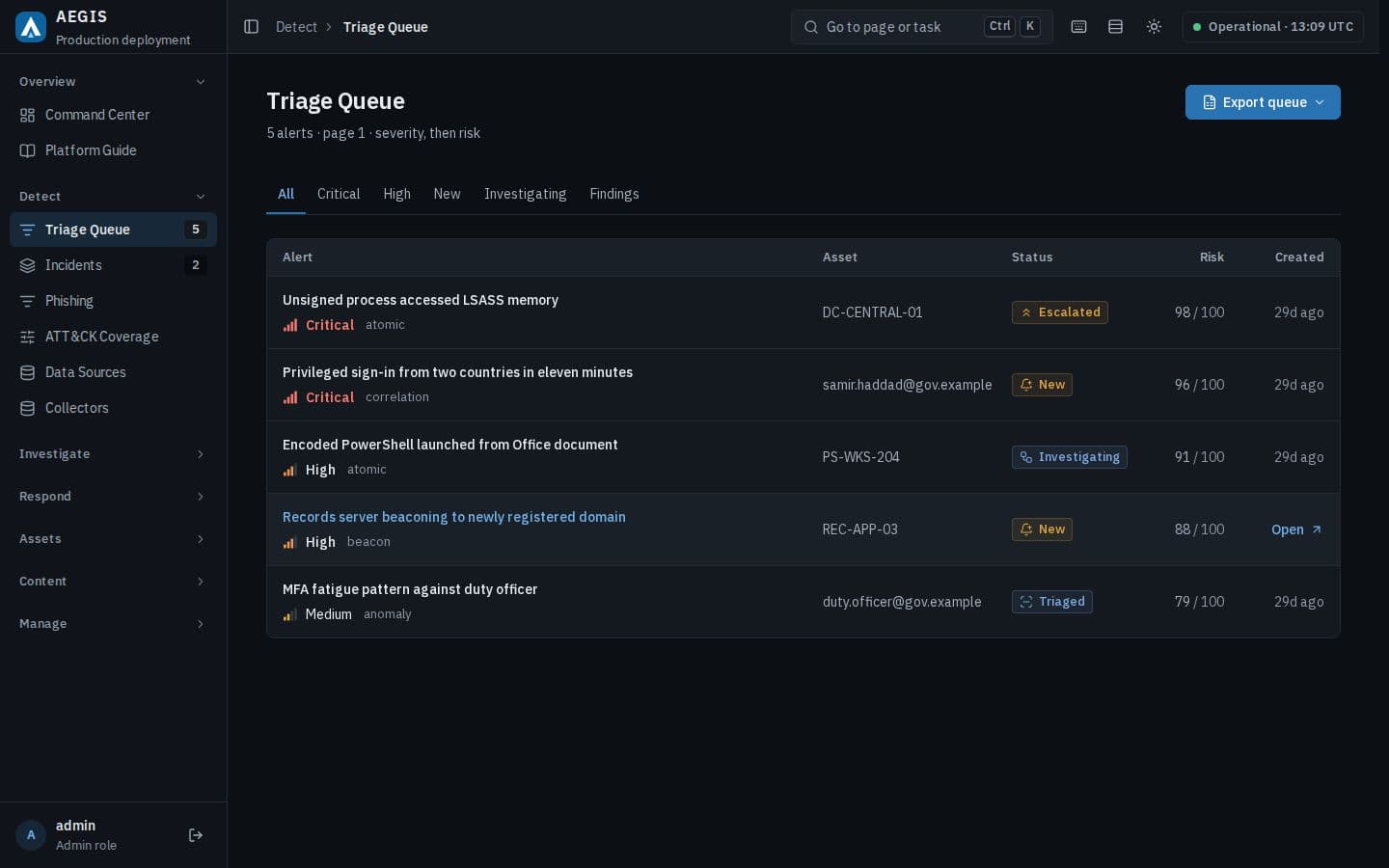
Take the tourTriage Queue
Every alert in one queue, ordered by severity and risk, each with the AI's verdict and how confident it is. Work it from the keyboard.
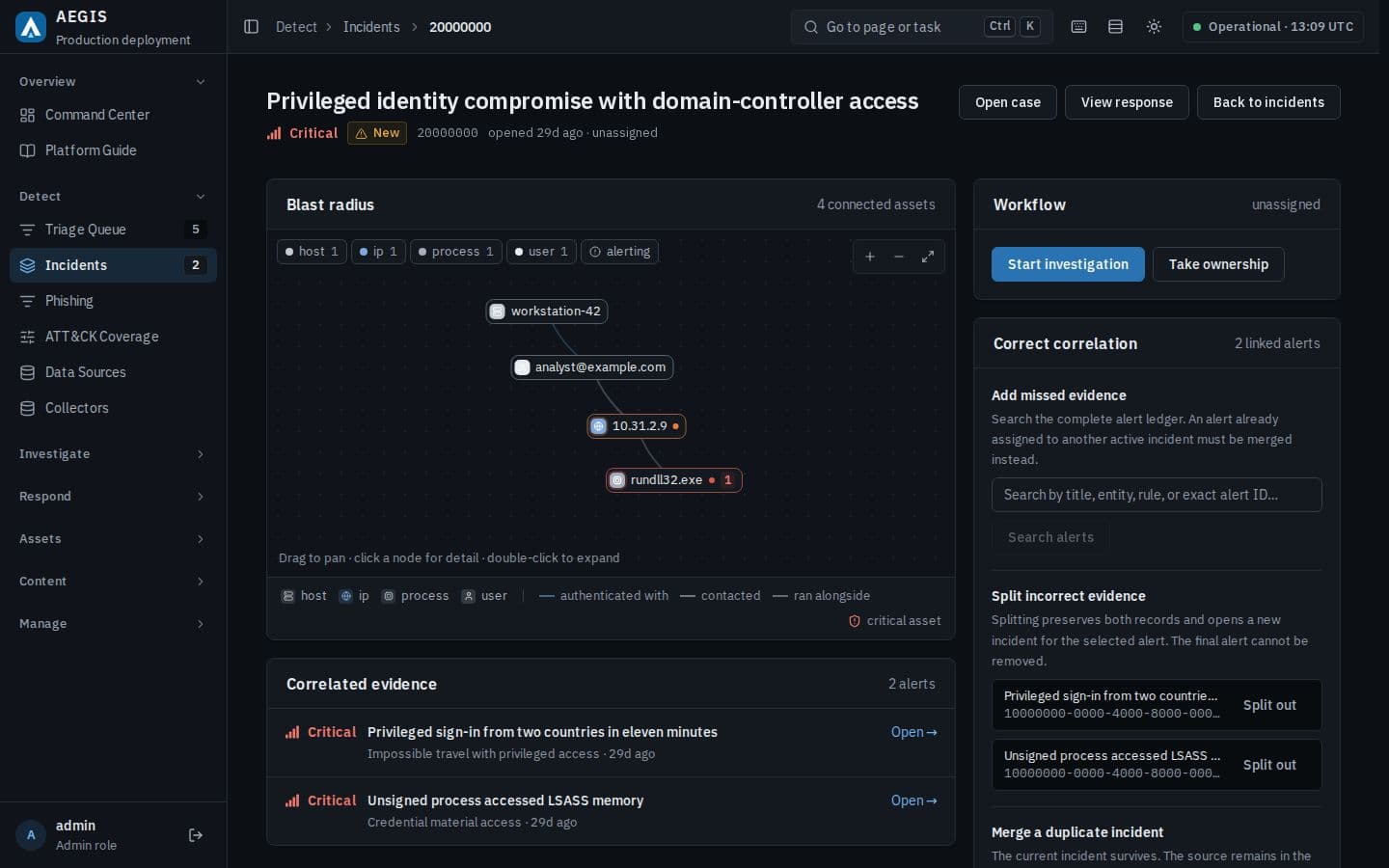
Incident
Related alerts are grouped into one incident. The hosts, accounts and addresses the attack touched are drawn as a graph, with the reason each alert belongs.
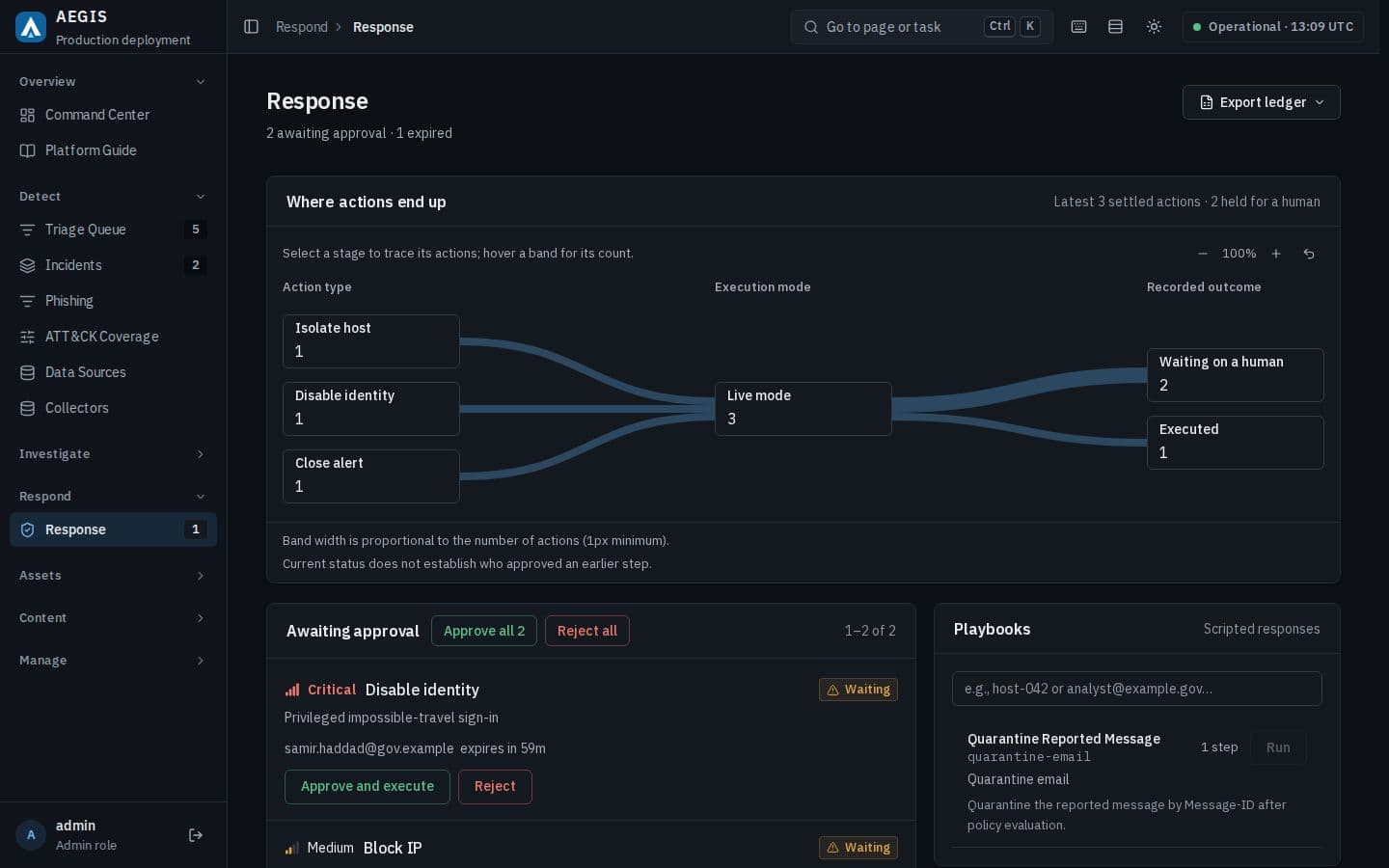
Response
What is waiting for approval and who has to sign, with every action marked as simulated or live. One switch stops every response action.
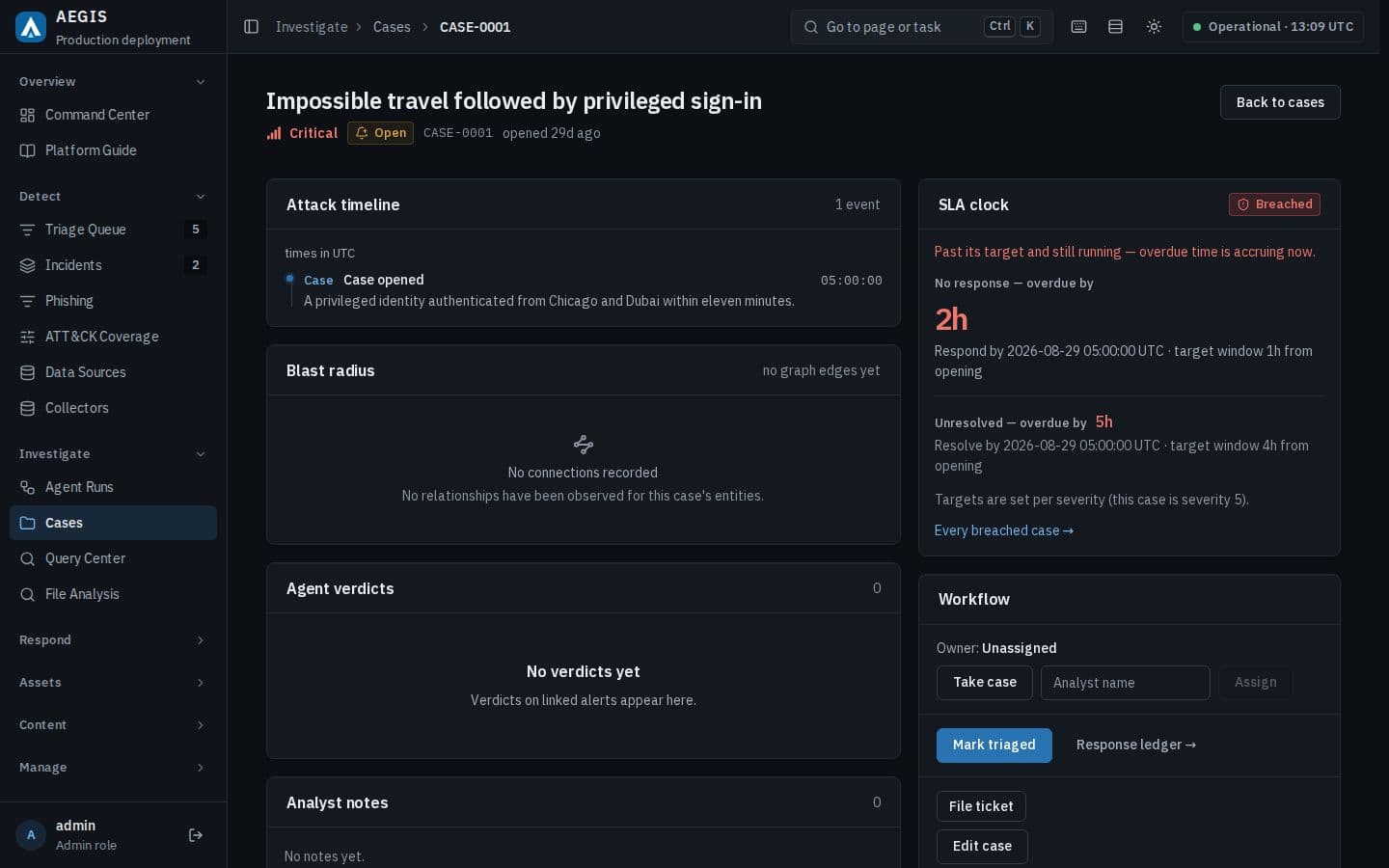
Case
The timeline, the evidence, the deadlines and the owner in one place, with an escalation package you can print for management.
What the AI may do alone
Its investigation tools search events and look up context. None of them can change one of your systems.
A verdict cites the lines it rests on, word for word, so an analyst can check it against the alert.
The AI may close an alert of Medium severity or lower that it is confident is harmless. One in twenty of those closures is picked at random for your team to review. Without a clear verdict the alert goes to a person and a case opens.
A response action reaches one of your systems when all seven hold, among them your policy, the approvals and live mode.
Disabling an account, or isolating a host in a serious incident, needs an analyst and then a different administrator.
The audit log is a hash chain. Every five minutes a signed checkpoint of it is written to a store off the server, so a later change to the log shows.
Inside your network
- Applications and cloud servicesHTTPS and webhooks, on 443
- Network and security devicessyslog, over TLS on 6514
- Servers with the AEGIS collectormutual TLS, on 8443
- Services AEGIS pulls fromAPI pull, outbound, when you configure it
- Collect
- Detect
- Investigate
- Respond
- Record
- Analysts, leads and auditorsthe console, on 443
- Your object store or log systembackups, and a signed audit checkpoint every five minutes
- On by defaultThe CISA KEV catalogue, fetched hourly. You can turn it off.
- Needed in productionA backup store and an audit checkpoint store. Both can sit on your private network.
- Only if you switch them onA managed AI model, API pulls from cloud services, notifications, single sign-on, exports, live response connectors, threat feeds and a public certificate.
AEGIS installs from a signed offline bundle. The installer verifies the signature before it does anything else.
Your events and rules in open formats
Events are stored in OCSF and rules are written in Sigma.
- aegis collector
- aegis collector auditd
- aegis collector fim
- aegis collector openbao
- apisix access
- aruba clearpass
- aws cloudtrail
- aws guardduty
- aws vpc flow
- aws vpc flow text
- azure activity
- azure nsg flow
- azure signin
- azure signin monitor
- carbon black cloud alerts
- cef generic
- checkpoint cef
- cisco asa
- cisco ise
- cloudflare http requests
- crowdstrike falcon
- dbappsecurity dbaudit
- dbappsecurity waf
- docker events
- duo auth
- f5 bigip asm
- fortinet fortigate
- gcp audit
- github audit
- google workspace login
- h3c comware switch
- h3c secpath firewall
- hillstone ngfw
- huawei usg firewall
- huawei vrp switch
- iis w3c
- imperva waf
- java stacktrace
- juniper srx
- kafka broker audit
- keycloak events
- kubernetes audit
- lastpass
- leef generic
- linux auditd
- linux su
- linux sudo
- m365 unified audit
- microsoft defender endpoint alerts
- microsoft entra
- mikrotik routeros
- mimecast email
- mysql audit
- netflow ipfix
- nsfocus nips
- nsfocus waf
- okta
- onepassword
- openssh
- palo alto panos
- palo alto panos cef
- palo alto panos syslog
- pingone audit
- postgres audit
- proofpoint tap
- qianxin ngfw
- qianxin tianqing edr
- rabbitmq json
- salesforce
- sangfor af
- sentinelone threats
- sflow network
- snowflake audit
- sophos xg
- suricata eve
- sysmon winlogbeat
- topsec ngfw
- venustech ids
- web access combined
- windows dhcp
- windows dns debug
- windows security
- zeek conn
- zeek dns
- zscaler web
- T1003.001
- T1003.002
- T1003.003
- T1003.004
- T1003.005
- T1003.006
- T1018
- T1020
- T1021.001
- T1021.002
- T1027
- T1033
- T1036
- T1036.003
- T1036.005
- T1041
- T1046
- T1048
- T1048.003
- T1053.005
- T1053.007
- T1059
- T1059.001
- T1059.007
- T1069.001
- T1069.002
- T1070
- T1070.001
- T1071.001
- T1071.004
- T1074.001
- T1078
- T1078.004
- T1087.001
- T1087.002
- T1098
- T1098.001
- T1098.002
- T1098.003
- T1098.007
- T1105
- T1110
- T1110.001
- T1110.003
- T1112
- T1114.003
- T1136.001
- T1136.003
- T1140
- T1197
- T1204.002
- T1218
- T1218.003
- T1218.005
- T1218.011
- T1485
- T1486
- T1490
- T1496
- T1505.003
- T1528
- T1530
- T1535
- T1539
- T1543.003
- T1547.001
- T1548
- T1548.002
- T1550.001
- T1550.002
- T1550.004
- T1552.005
- T1552.007
- T1556.006
- T1558.003
- T1560.001
- T1562.001
- T1562.007
- T1562.008
- T1564.008
- T1566.001
- T1567
- T1567.002
- T1569.002
- T1574.011
- T1578
- T1580
- T1609
- T1610
- T1611
- T1621
- T1685.001
- T1685.005
- File System Activity
- Process Activity
- Detection Finding
- Account Change
- Authentication
- Authorize Session
- User Access Management
- Group Management
- Network Activity
- HTTP Activity
- DNS Activity
- DHCP Activity
- Email Activity
- Device Inventory Info
- Application Lifecycle
- API Activity
- Datastore Activity
- File Hosting Activity
What it needs to run
One Linux server of a kind you already run. The installer checks it against these floors before it starts.
The measured run, 0.26 seconds at 5,000 events a second, used 16.
For the platform and the AI model that ships with it. That model runs within 12 GiB.
To start. Retention decides the rest: our lab run stored about 66 bytes an event, so size it on your own logs.
By default, and yours to change.
443, for the console and for events. Syslog sources add theirs when you switch them on.
x86_64 or arm64, on Linux with Docker Engine and Compose.
Plan the event lake's disk
The arithmetic from the calculator in the console's guide. It covers the event lake: the database and the backups are separate, and no hardware or performance figure is implied.
The daily average, not the peak.
The default, and yours to change.
Our lab run stored about this many. Measure yours: bytes on disk divided by rows.
Room to work in, on top of what is retained.
- events a day
- 86,400,000
- retained in the lake
- 478 GiB
- lake space to provision
- 682.8 GiB
Common questions
What does AEGIS replace?
A SIEM, an AI triage layer, case management and SOAR. Alerts, investigations, cases and response are kept in one record instead of four.
Which log sources does it read?
Windows and Linux hosts, firewalls from Palo Alto, Fortinet and Cisco, identity providers such as Okta and Microsoft Entra, Microsoft 365, the audit logs of AWS, Azure and Google Cloud, and network sensors such as Zeek and Suricata.
Can we write our own detections?
Yes. Rules are Sigma, and AEGIS runs them natively.
Can several organisations share one installation?
Yes. Each organisation's data is separated by the database itself, and each has its own audit log.
How is it installed and updated?
It installs from one signed offline bundle, and an upgrade is a new bundle. The installer sends a test event through a new release before it takes over.
See how AEGIS fits what you run
Tell us what you run today and an engineer will go through it with you.
Ask for a walkthrough